
Features
• NEW 5 serial ports, including one screwless terminal
• Plastic or Aluminum Bezel
• Fast 300 MHz processor to handle demanding applications
• 8MB System Memory provides ample space for HMI program

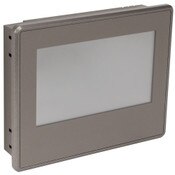
iView2 M-Series HMI Touch Screen, 4.3 inch TFT LCD, 480x272, 65k colors, Built-in IIoT and VNC (WEB) server, Ports: (4) serial, (2) USB, and (1) Ethernet, Plastic Bezel
 In Stock
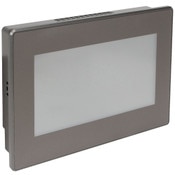
iView2 M-Series HMI Touch Screen, 7 inch TFT LCD, 800x480, 65k colors, Built-in IIoT and VNC (WEB) server, Ports: (5) serial, (2) USB, and (1) Ethernet, Built-in IIoT and VNC (WEB) server, Plastic Bezel
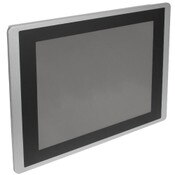
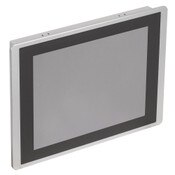
In StockiView2 M-Series HMI Touch Screen, 12.1 inch TFT LCD, 800x600, 65k colors, Built-in IIoT and VNC (WEB) server, Ports: (5) serial, (2) USB, and (1) Ethernet, Aluminium Bezel
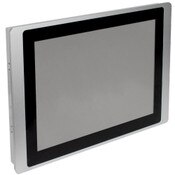
In StockiView2 M-Series HMI Touch Screen, 15 inch TFT LCD, 1024x768, 65k colors, Built-in IIoT and VNC (WEB) server, Ports: (5) serial, (2) USB, and (1) Ethernet, Aluminum Bezel
In StockiView H-Series HMI Touch Screen, 10.4 inch TFT LCD, 800x600, 65k colors, Audio/Video, Built-in IIoT and VNC (WEB) server, Ports: (3) serial, (2) USB, and (1) Ethernet, Aluminum Bezel **Discontinued. No replacement available.**
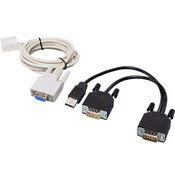
In StockConnect an IMO iView HMI panel to ANY SG2 Programmable relay. Connection is made between the HMI serial port and the SG2 programming port. Includes the SMTIV-RS232 iView HMI interface cable and the SG2-PL01 PLR programming cable.
In Stock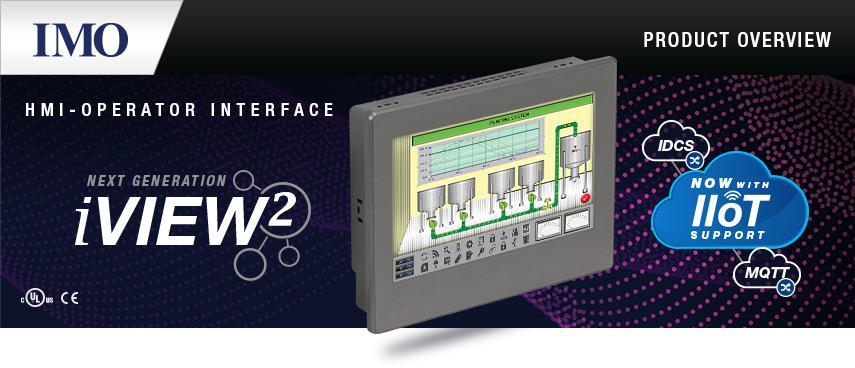
A Human-Machine Interface (HMI) touch screen device is a digital interface between a user and a machine or control system in a manufacturing process. HMI touch-screen panels reduce the size of a control panel and eliminate the need for physical buttons and indicators by combining meter displays and input methods into a single device.

 IMO iView2 HMI BrochureIMO iView2 Device Driver List
 Application Notes
All iView2 HMI panels offer these powerful tools for increased flexibility in the control or monitoring of industrial applications:
• RS232, RS422 & RS485 supported
• Built-in Ethernet port with FTP functionality allowing remote file transfer & data log downloads from anywhere
• Remote control and monitoring through a VNC communication
• Two USB Ports (1xUSBA & 1xUSBB)
• Micro SD for storage and data logging
• Real Time Clock
• Bright & Easy-to-read screens
• IIoT (Industrial Internet of Things) features including: IDCS, MQTT, HMI in Hand Android App & DC Program
• Built-in scripting function makes programming complicated applications easy
• Works with USB or RS-232 barcode scanners

• Bright and easy to see TFT Screen with 65K colors
• Unlimited touch points allows for objects to be interacted with anywhere on the screen
• Resistive touchscreen allows operator to use the panel when wearing gloves

• Dust proof and water resistant. Capable of withstanding powerful wash-down and a wide temperature range
• Ambient temperature range from 14°F to 140°F

• Connect a vast range of PLCs and controllers from numerous manufacturers

• NEW 5 serial ports, including one screwless terminal
• Plastic or Aluminum Bezel
• Fast 300 MHz processor to handle demanding applications
• 8MB System Memory provides ample space for HMI program

• Allows for easy installation into enclosure

• Allows for remote connectivity for programming, control, and monitoring

• Two COM ports in a single DB9 connector
• RS232, RS422, and RS485 are all supported

• USB Type A for peripherals such as mice, keyboards, and barcode scanners.
• USB Type B for HMI programming.

• Screwless plug in port for easy wiring and installation
• Supports RS485 or RS232

• Allows for expansion of storage space up to an additional 16GB.
• Easily remove card for reprogramming or to transfer data logs.


Intuitive drag and drop interface. Get your application up and running in minutes!

Thousands of built-in high quality scalable graphics or import your own. Fully customizable meters, buttons, graphics & more.

Program development and simulation without a connection to panel.

Alter HMI programming using USB, MicroSD, or FTP file transfer.

An extensive and comprehensive help file is available within the program and online.

Prevent unauthorized users from making changes to any input object.

• Remotely read and write I/O data from machines with HMIs
• Sends e-mails to 4 assigned mail boxes with 8 sets of data
• Real-time data monitoring can be exported to CSV files and uploaded/downloaded with FTP
• Monitor analog cameras for near real-time video & captures (H Series)
• Data logging provides comprehensive records for analysis without a connection to panel

• Save and retrieve data remotely
• Remote download and upload of HMI applications
• HMI in Hand Android App and PC based remote control and monitoring
• Free 1-year subscription to IDCS services with purchase of an iView HMI

• MQTT is an open, simple, and lightweight communication protocol using a publisher/subscriber method of data transfer
• MQTT is ideal for machine to machine data exchange due to its rapid update times
• The iView2 Developer is a powerful and easy to use program that features a drag and drop interface to quickly get your application off the ground.
• Run simulations without the need for a panel to be connected.
• No license fee, no expiration, no limitations. iView2 Developer is free and yours to keep. Download and install the full version to try it for yourself before purchasing a panel.


The IMO iView2 Developer features the most advanced objects and images available on an HMI panel.
• Thousands of built-in, high quality, scalable graphics
- Simply drag and drop your graphic where you want it then resize it as you see fit. A convenient grid is provided for ease of alignment and sizing.
• Fully customizable meters, buttons, graphs and more
- Change color schemes, set transparencies, display or hide scales, set visibility based on system events, and more
• Use animation paths to have objects move on screen to illustrate product movement through the factory.
• Import your own images for unlimited possibilities
• Use any font installed on your PC for nearly countless options in type


• Develop a program and simulate it without connecting to a panel
- iView2 Developer doesn’t require a panel to be connected in order to simulate an application. Since our software is free to download you can test your application before purchasing a panel!
• Detailed compilation log to help you find errors in your application
- Nothing is more frustrating than having your application fail to compile. iView2 Developer however makes it easier to find those errors by giving you detailed descriptions in the compilation log. Screen number, X-Y position, and reason for failure are provided for each error so you can easily track them down
• Simulation behaves exactly like the real thing.
- Change operators, input values, and navigate screens using a clickable interface
- Fully test your application before putting it to work in the field
- Use the online simulation mode to test for errors in connections to devices
• Alter HMI programming using USB, MicroSD, or FTP file transfer
- Storing the program file on a USB disk or SD card allows you to update the panel application without needing a computer
- You can also copy the existing program from one iView to another
• Upload/Download an HMI program remotely with a network connection
- By using the Ethernet connection on the iView you can upload or download an application to the panel from a remote location


• Secure panels from unwanted changes to designs, macros, and upload/download operations using passwords
• Password levels can be assigned to any input object to prevent unauthorized users from making changes
- There are 9 password levels that can be assigned to objects including one developer password. You can also assign a username to them to track changes made
- A user with a higher level automatically has access to all the functions of the levels below
• Log files of users and their associated actions can be created and stored for later review
• An extensive and comprehensive help file is available within the program and online
- Images and diagrams combined with easy to follow instructions make learning the iView2 Developer a breeze
• Also see our knowledge base for more information and tutorial videos explaining various features and functions of the iView2 software


• Enables worldwide integration and operation
• Choose from dozens of language character sets and switch between them on the fly
• Make numerous changes to tags and values with the tap of a button
- Recipes are preset blocks of data that allow for multiple products to be created using a single machine or production line. By changing recipes a user can quickly switch from, as an example, bagging 5 pounds of cake mix to bagging 3 pounds of biscuit mix
• Enough storage for over 1 million individual recipes


• Create macros by easily writing your own scripts to achieve automatic changes
• Macros can be nested within your code to modularize your functions for easy maintenance and future alteration
• Macros can be triggered by a multitude of events ranging from when an object is pressed to after a certain amount of time has elapsed
• No prior coding experience required! Detailed descriptions of each function are displayed in the function library
• Combine Macros with the Event Processor to allow the HMI to make changes according to monitored conditions
• Easily assign custom tags to parameters for easier programming
- By assigning tags to registers you can name them for ease of use later when programming
- In the software, a tag can have multiple names (called aliases) with the same data type and settings.


• The iView can be easily mounted horizontally or vertically. Simply choose your orientation in the application settings and iView2 Developer will automatically rotate the workspace to fit